Fantastic class. Amazing scanner.Cad Ray has been helpful not only with my purchase of the Medit i500, but every step of the way.Level 2 seminar with Armen and Damien was extremely informative, useful and practical! ⭐️⭐️⭐️⭐️⭐️ - 8/08/2021
Michael Gagaoudakis
Awesome company. The video collection CAD-Ray has put together for their equipment is unparalleled. There is literally no other company that has a library of learning tools like Armen and his team have put together. I highly recommend this company if...read moreAwesome company. The video collection CAD-Ray has put together for their equipment is unparalleled. There is literally no other company that has a library of learning tools like Armen and his team have put together. I highly recommend this company if you are considering making a digital equipment investment. 5 stars!read less - 6/16/2020
Rich Hirschinger
I had an issue that was due to the Medit settings. Damien logged on remotely to my laptop, and resolved the issue in a couple of minutes. Fantastic service. Thank you. - 8/27/2021
Stuart Adam
Amazing team!
Andy was amazing with explaining everything needed to be successful with the medit i700 and encouraged me to give CADRAY a call if I have any questions in the future. I have some colleagues that have regarded CADRAY as the gold stand...read moreAmazing team!
Andy was amazing with explaining everything needed to be successful with the medit i700 and encouraged me to give CADRAY a call if I have any questions in the future. I have some colleagues that have regarded CADRAY as the gold standard for service and I can now say that I completely agree. Thank you!read less - 12/27/2021
Our office is new to using the Meditscan so far we love it. Our rep andy was so detailed and great with the training. Everything has been good so far and easy. Defenitely recommend. - 9/23/2022
I purchased my medit in April of 2019 from Cad-Ray. The support offered is second to none, and the training videos are some of the best out there. Add to that a great support team that is fast to answer questions and issues, its hard to beat Cad-Ray. - 6/19/2020
Mark Sperling
Got a great deal in the medit i700 and the training was top notch. I had about 3 one hour sessions with Ryan at cadray and he was clear, concise and knowledgeable in both the software and hardware components of the computer/scanner and the detailed a...read moreGot a great deal in the medit i700 and the training was top notch. I had about 3 one hour sessions with Ryan at cadray and he was clear, concise and knowledgeable in both the software and hardware components of the computer/scanner and the detailed aspects of the dentistry itself. Got a direct line going forward and would recommend cad ray to anyoneread less - 8/17/2022
Tiffany Lee
Update to CAD-Ray as this company has morphed into something even better and grander than it was previously. This is the company where you go to when you need a scanner or 3d printer. Their customer service is second to none and their training on sca...read moreUpdate to CAD-Ray as this company has morphed into something even better and grander than it was previously. This is the company where you go to when you need a scanner or 3d printer. Their customer service is second to none and their training on scanners is top level. Don't buy your scanners anywhere else because Cad-Ray is the only company who knows how to solve any of your problems and provides the best technical support. I recently had purchased a software to mill crowns from my medit to my MCXL. No body could get it to work.12 months in and I was resigned to it not working and not being able to mill in house. With Cad-Ray's tremendous hard work, we were able to get the milling unit synchronized to the inlab and inlab synchronized to clinux and clinux meshed to medit. I am now milling scanned crowns for the first time in about 12 months. Yay Cad-Ray, Thank you!!!!!read less - 4/01/2024
Gregory Camfield
These guys are 1st in class service every time! - 7/08/2022
Tim Mininger II
Great product and company. all the help and support you need on their website and Facebook group. recommended them to many of my colleagues and bragged to other reps about how good my deal was compared to what they were offering. - 6/16/2020
Steve Acker
We received our i700 scanner from CAD-Ray yesterday. It was an upgrade from our i500. The scanner is amazing and Laura was amazing in helping us get up and running in no time. Their support, professionalism, and expertise is unmatched. Thanks CAD-Ray...read moreWe received our i700 scanner from CAD-Ray yesterday. It was an upgrade from our i500. The scanner is amazing and Laura was amazing in helping us get up and running in no time. Their support, professionalism, and expertise is unmatched. Thanks CAD-Ray!- Helena from Elite Dentalread less - 12/23/2021
Roy Elturk
Outstanding customer service! Laura helped me purchase my first Trios scanner and she took the time to go over all the specs, models, and details with me. Their on going tech support is what sets this company a part from others. - 3/05/2024
Franco Picofazzi
Great product at an affordable price, not to mention Andy's help at customer service. Highly recommended. - 6/23/2022
Great scanner easy to use with the software. Definitely recommend the i700 scanner. Great customer service from Laura. - 12/09/2021
Aram Grigoryan
I'm really grateful with the service CAD-Ray has provided! I'm also very happy with Laura's presentation with the Medit i700, and overall help in choosing the right scanner for my practice. I'm really happy with the scanner and the SprintRay Pro 95 P...read moreI'm really grateful with the service CAD-Ray has provided! I'm also very happy with Laura's presentation with the Medit i700, and overall help in choosing the right scanner for my practice. I'm really happy with the scanner and the SprintRay Pro 95 Printer as well. Thank you.read less - 8/31/2021
Purchased a Trios 5 and the Sprint Ray Printer/Ecosystem from Cad-Ray at the end of 2022. Frank Deluca, my CAD-Ray rep, was instrumental in helping me see the value in purchasing both technologies to expand on my digital dental office. He came ac...read morePurchased a Trios 5 and the Sprint Ray Printer/Ecosystem from Cad-Ray at the end of 2022. Frank Deluca, my CAD-Ray rep, was instrumental in helping me see the value in purchasing both technologies to expand on my digital dental office. He came across as being very sincere and professional throughout the entire process. After the purchase, he even made himself available to go above and beyond what a normal dental rep would do. For instance, when I had my Sprint Ray Ecosystem installed, he set aside time on a Friday afternoon to walk me through the steps to print my first 3D study models. I would say he is one of the best dental reps that I have come across. Definitely received a 5 star experience and service from Frank. He is definitely and asset to CAD-Ray.read less - 1/25/2023
Donghyun Noh
Just purchased i700 and had training with Andy.
Andy was very patient and informative . He went through everything and made sure I was comfortable with my equipment before leaving. I am really excited about this new technology. - 1/05/2023
CAD-Ray is amazing! Prompt replies, quick delivery, knowledgeable team! I had some cracks on my scanner that I read on their FB group may be a manufacturer's defect. My scanner was still covered under warranty. They overnighted a brand new one to me ...read moreCAD-Ray is amazing! Prompt replies, quick delivery, knowledgeable team! I had some cracks on my scanner that I read on their FB group may be a manufacturer's defect. My scanner was still covered under warranty. They overnighted a brand new one to me before I even knew they were going to replace it! That's how quick they are! Highly recommend them!!!read less - 12/23/2021
Deryck Pham
best customer service on the planet. very easy to use. and always fine tuning to make the user experience better. - 6/16/2020
Dr. Howard Lassin
Great 1st lesson with Ryan on the Mediti700. We are ready to scan:) - 12/30/2022
Collin Kwasnik
will never buy any product they offer from any other company regardless of price. this team is the best and incredible. - 6/05/2022
Northwest Orthodontics
Every staff member has been very helpful and kind every time we call. Thank you! - 7/24/2024
Blake Holt
Best place to buy a medit i500 from. Great support and an even better community. - 6/16/2020
Barton Davis
Every time I need support for my scanner, the Cad-Ray team is there to help. I recently had a question on how to manipulate a scan and export it back to Medit Scan. Damien logged in and helped me out. Problem solved in under five minutes. Awesome ser...read moreEvery time I need support for my scanner, the Cad-Ray team is there to help. I recently had a question on how to manipulate a scan and export it back to Medit Scan. Damien logged in and helped me out. Problem solved in under five minutes. Awesome service. Thanks Cad-Ray support team!read less - 3/04/2022
David Jump
I can't even find the words to express how incredible CAD-Ray has been with their customer service. I've never worked with a company in ANY industry that has been as helpful and responsive at they have been. Based on their customer service alone I ...read moreI can't even find the words to express how incredible CAD-Ray has been with their customer service. I've never worked with a company in ANY industry that has been as helpful and responsive at they have been. Based on their customer service alone I would buy every piece of equipment I ever needed from them if they sold it. Truly a unique experience! Oh, and the medit i500 has been fantastic, super accurate and patients are blown away by digital impressions. Love it, great product and incredible customer serviceread less - 12/09/2021
Krupal Chhotu
Finally going digital and Cad-Ray was the place to start. Got the Medit i500 and began scanning right away. Now I am doing digital dentures, making my own surgical stents, etc. The support available is the best. "Frank" is always available! :) - 10/09/2019
Have been chatting with the CADRAY group for at least a year now even though I did not buy anything from them. They are very receptive, prompt and helpful. Finally bit the bullet and received my Medit yesterday! Now my Bluecam has a new buddy!! - 7/17/2020
Tony Cascino
I just purchased the CAD-Ray unit at Chicago Mid Winter meeting. We have used it for single crowns so far and have been very pleased. Nick was my sales contact and he has helped a great deal with some of our 'learning curve " issues. I looked at a nu...read moreI just purchased the CAD-Ray unit at Chicago Mid Winter meeting. We have used it for single crowns so far and have been very pleased. Nick was my sales contact and he has helped a great deal with some of our 'learning curve " issues. I looked at a number of scanners and felt CAD-Ray was the best-two of the labs I use also feel it is the best scanner.read less - 5/12/2020
Nate Cherof
Excellent customer service and communication. Could not recommend them more - 2/14/2023
Trident Dental
Great help when you need it. Frank, Armen and team will take care of you. - 12/10/2021
Bracy Haynie
I have had the wonderful experience of working with Ryan at Cad-Ray for the last several weeks and he has been very professional and informative on how to properly use the Medit I700 scanner with regard to the software. I would highly recommend using...read moreI have had the wonderful experience of working with Ryan at Cad-Ray for the last several weeks and he has been very professional and informative on how to properly use the Medit I700 scanner with regard to the software. I would highly recommend using Cad-Ray and contacting Ryan for any of your Medit needs.read less - 1/27/2023
Johnny Vredenburg III
Before working with cad-ray, I was hesitant to dive into digital dentistry due to the complexity of it. Working with Laura at cad-ray made all of my concerns go away. She was there to help me with my Exocad software installation, even outside of norm...read moreBefore working with cad-ray, I was hesitant to dive into digital dentistry due to the complexity of it. Working with Laura at cad-ray made all of my concerns go away. She was there to help me with my Exocad software installation, even outside of normal business hours - really hard to come by! I also purchased a Medit i500 and getting that setup and working in my clinic was seamless. I could not have asked for better support while navigating digital dentistry. My next purchase will be a 3D printer, and i know exactly where i will buy it from! Highly recommend these guys.read less - 11/20/2020
Jose Morales
Service is extremely quick and on point. Highly recommended to join the Cad Ray facebook group! - 6/01/2022
Farshad Rouhani
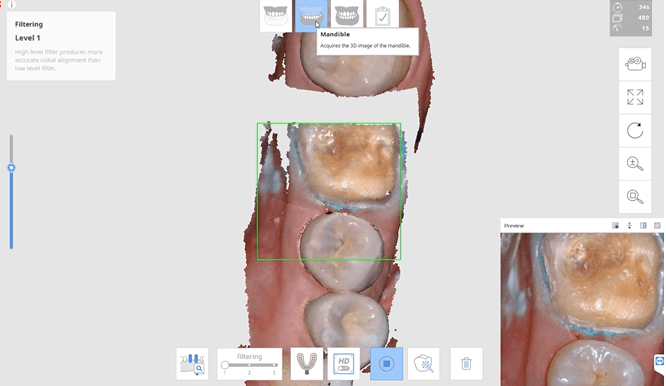
I do not know if it is okay to use the F word on this page. But I F@#KING LOVE MY MEDIT with the new filters now.
Scan the teeth with the middle filter, then go to the first 1 and get the palate in less than 1 minute. AMAZING
I have since s...read moreI do not know if it is okay to use the F word on this page. But I F@#KING LOVE MY MEDIT with the new filters now.
Scan the teeth with the middle filter, then go to the first 1 and get the palate in less than 1 minute. AMAZING
I have since sold my ITERO and JUST HATE my OMNICAM EVERYDAY.read less - 3/01/2020
I bought I500 scanner two years ago. The scanner is great and the service is excellent. I have contacted Heather Gramley and Andy Nova about the updates of my scanner recently. They are absolutely amazing people. They go above and beyond. They repres...read moreI bought I500 scanner two years ago. The scanner is great and the service is excellent. I have contacted Heather Gramley and Andy Nova about the updates of my scanner recently. They are absolutely amazing people. They go above and beyond. They represent the company very well.read less - 7/05/2022
This scanner is amazing! It’s hard to believe that it is less then half the price of 3 shape with zero yearly charges. I highly recommend you give it a try! - 10/09/2019
I have owned this scanner for six months now. I have experience with other scanners including Trios and Carestream. The Medit scanner can stand with the big names. The scanned images are good. The ease of communication through the software with the l...read moreI have owned this scanner for six months now. I have experience with other scanners including Trios and Carestream. The Medit scanner can stand with the big names. The scanned images are good. The ease of communication through the software with the lab is probably my favorite part. Another thing I like is that the company is very open to improvements and listens to what its customers are wanting.
Cad Ray has a great team working alongside this product and continually updates all of the users on new features or new ways to use existing features. They are extremely responsive to questions and provide fast and competent support to the product that they sell.
I would recommend both the scanner and the company to anyone looking to get into the digital scanning world.read less - 10/09/2019
I purchased a SprintRay through them. I'm new to the 3D printer realm and they've been great with answering my questions and getting me set up. I've just really have been impressed with the quick responses, its much appreciated, thank you! - 4/20/2022
Suresh Goel
CAD-Ray is a great resource for all things digital. Knowledgeable team but also able to anticipate your needs and because they’ve done it so many times they seem to know what you need before you do! Definitely the first place to look for digital ha...read moreCAD-Ray is a great resource for all things digital. Knowledgeable team but also able to anticipate your needs and because they’ve done it so many times they seem to know what you need before you do! Definitely the first place to look for digital hardware and integration!read less - 6/16/2020
Al Villalobos
Great scanner at a good price...Excellent customer service . I never want to take a conventional impression again! Best upgrade to my office in years. - 11/16/2021
Meridien Dental
Got my Medit scanner from here. Purchase went very smoothly. Best part is the on going support. Cad-ray team is great with training and ongoing help if your scanner has hiccups here and there with various updates. - 12/11/2023
Provinces Dental
Cad-Ray has provided a great product! They have been super helpful with getting all of our questions answered and products to us in a timely matter! - 3/01/2022
lizette aguero
Highly recommended. Ericka help me through all the process when we were having some trouble with our scanner. The help was super fast and secure. She answered all our questions and made sure our scanner were working perfectly. - 4/29/2025
Lake Shore Dental of Tempe
Absolutely the best customer service I have ever seen. I couldn't be happier with the service received. I won't be going anywhere else!! Thank you again. - 2/01/2022
Brenden Rogers
This company is excellent. Their knowledge, support, and sincerity is unmatched.Thank you, Frank, Damien, and Jonathan. You guys rock! - 5/08/2025
Iseoluwa Adedeji
Just got this scanner a few weeks ago. Has changed my workflow. Easy scanner to use. What's truly great is the support behind the product. Whether by call or fb messenger, I have never not been able to reach someone who solved the issue! Very pleas...read moreJust got this scanner a few weeks ago. Has changed my workflow. Easy scanner to use. What's truly great is the support behind the product. Whether by call or fb messenger, I have never not been able to reach someone who solved the issue! Very pleased so far.read less - 6/19/2020
Jaspreet Ghuman
Shout out to Nick, Frank and Armen ! Cheers . Great customer service by Nick and Frank. Too early to make a comment about the scanner but these guys are awesome. - 9/19/2020
Nancy Hartrick
I am absolutely in love with my MEDIT i700, as is my entire staff. The Medit i700 is reliable, fast, easy to use and the software is incredibly intuitive. I couldn't be happier with the team at CAD-Ray. They are true professionals, and very hands and...read moreI am absolutely in love with my MEDIT i700, as is my entire staff. The Medit i700 is reliable, fast, easy to use and the software is incredibly intuitive. I couldn't be happier with the team at CAD-Ray. They are true professionals, and very hands and responsive in terms of their support and training. Thank you to the entire team.read less - 8/24/2021
CAD-Ray is an amazing company. I purchased my scanner 3 years ago. Any small issue immediately resolved by calling them for help. I originally scanned with Cerec. The ROI doesn't even compare. The Medit was by far the best technology purchase of my ...read moreCAD-Ray is an amazing company. I purchased my scanner 3 years ago. Any small issue immediately resolved by calling them for help. I originally scanned with Cerec. The ROI doesn't even compare. The Medit was by far the best technology purchase of my 20 plus years in dentistry. I will upgrade at some point and will buy again from CAD-RAY!read less - 2/04/2022
ed borio
I was dragging my feet before purchasing my first scanner because I was apprehensive of the effort required to change to a digital workflow. Laura assured me my fears were overblown and because of her patience and exceptional training abilities it h...read moreI was dragging my feet before purchasing my first scanner because I was apprehensive of the effort required to change to a digital workflow. Laura assured me my fears were overblown and because of her patience and exceptional training abilities it has been a rewarding and relatively seamless transition to the world of scanning. I never dreamed implementation would have been this easy and its attributed to Laura's skillful training ability. The scanner is wonderful and powerful, but we would have never been able to unlock its potential without her assistance.read less - 8/31/2021
In this video we showcase the set up page of the Medit i500 Lab Version for software version 2.1, where you define the job description, enter parameters, designate the opposing and proceed to the next step where you launch the imaging software.
Captured Impressions While Patient Was Reaching Anesthesia
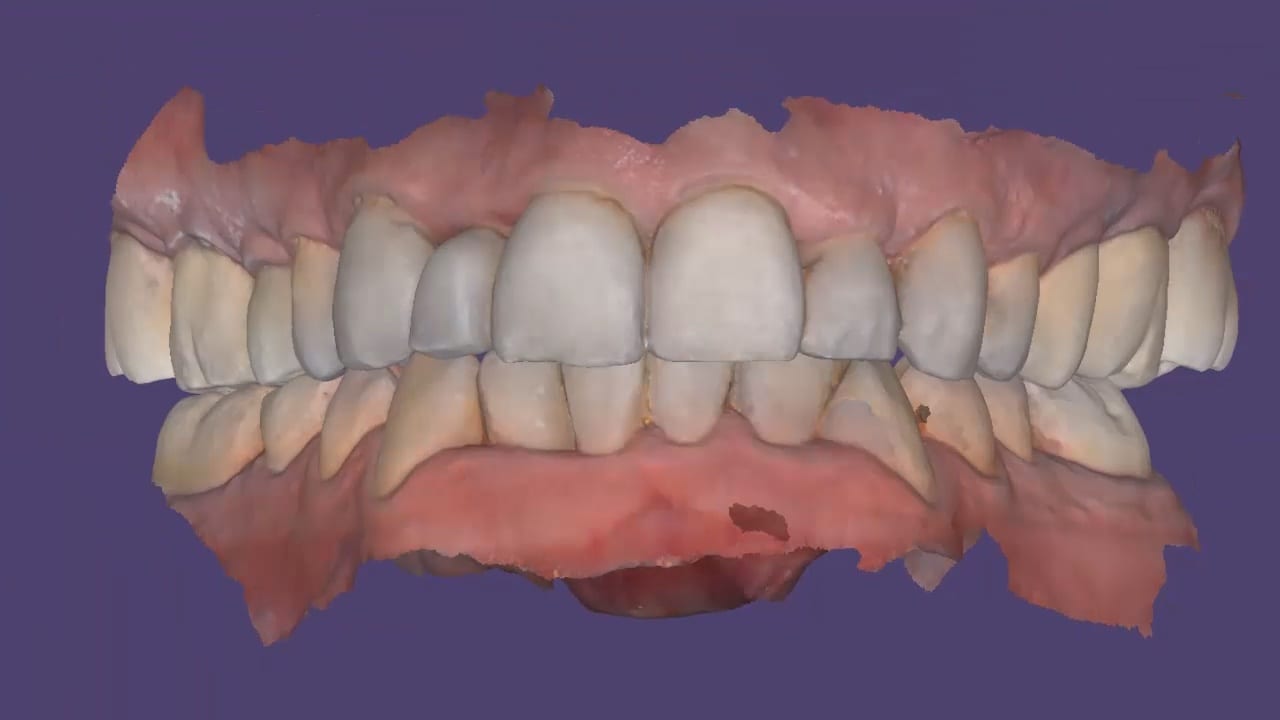
While the patient was reaching anesthesia, the opposing arch was captured along with the preparation model. The area to be prepared was cropped out and once enough reduction was achieved the bite was captured. We highly recommend that you verify reduction and adequate clearance before you capture the final preparation. This way, you have one last ditched effort to verified you will have adequate thickness to your restorative material.
One of the biggest challenges of capturing a bite for an occlusal appliance is to properly tripod the upper arch to the lower arch. With PVS impressions we just send the impressions along with the patient’s bite registration in maximum intercuspation.
A unique advantage we have with digital impressions is that we can capture someone with an open bite while using their own mouth as the articulator. Moreover, with the following technique, you can rest assured you have little adjustments to make to the occlusal guard after it has been fabricated.
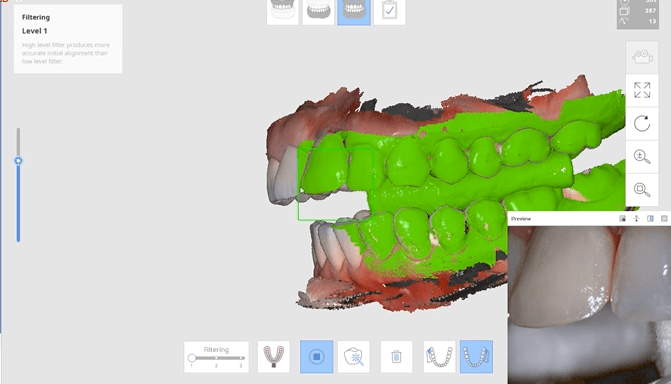
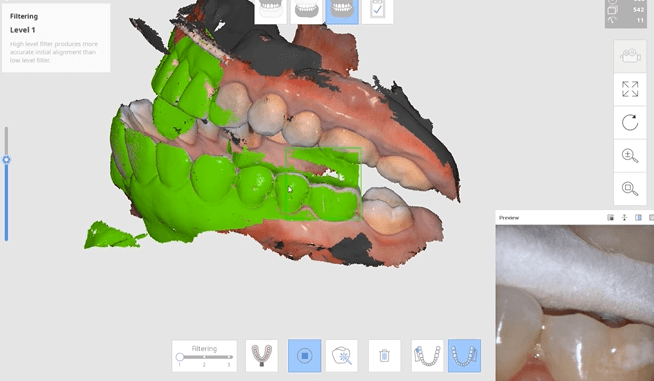
Now as we continue to image in the same catalog box, we can gauge if we are on track as the bite model turns green. Notice how when we move from the upper arch to the lower arch, across an open bite, and we maintain a green active box and green model formation, we can rest assured that our case is mounted correctly.
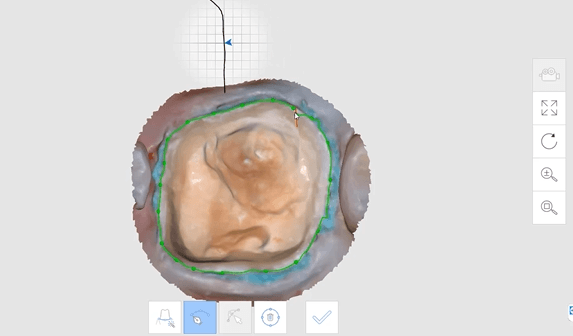
The new Medit i500 software will feature the ability to mark margins in the imaging step before you import the case into a CAD software or send it to the lab. In this article we showcase a case where a 12 year old implant crown needed replacement. The pre-op images were captured, along with the opposing and the bite.
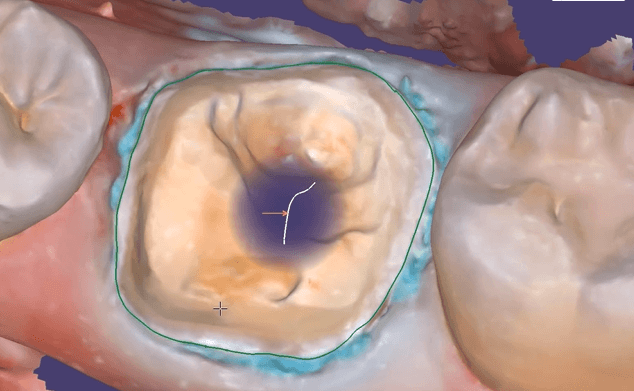
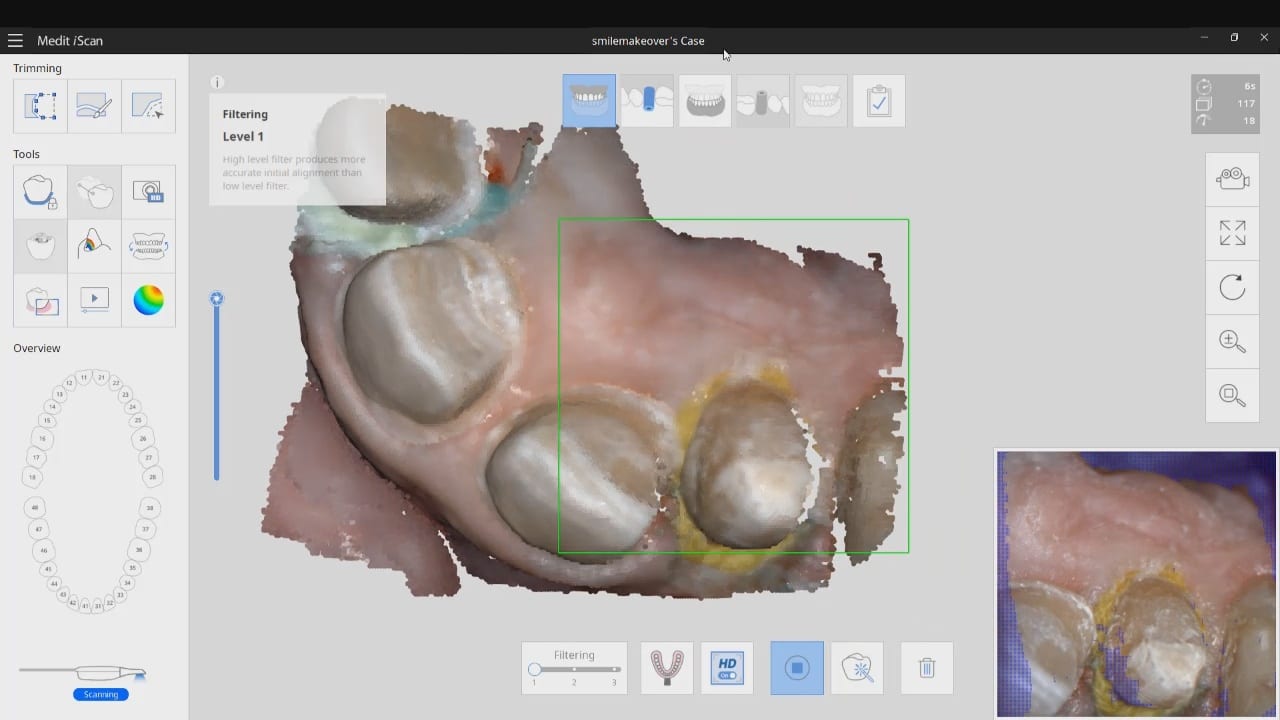
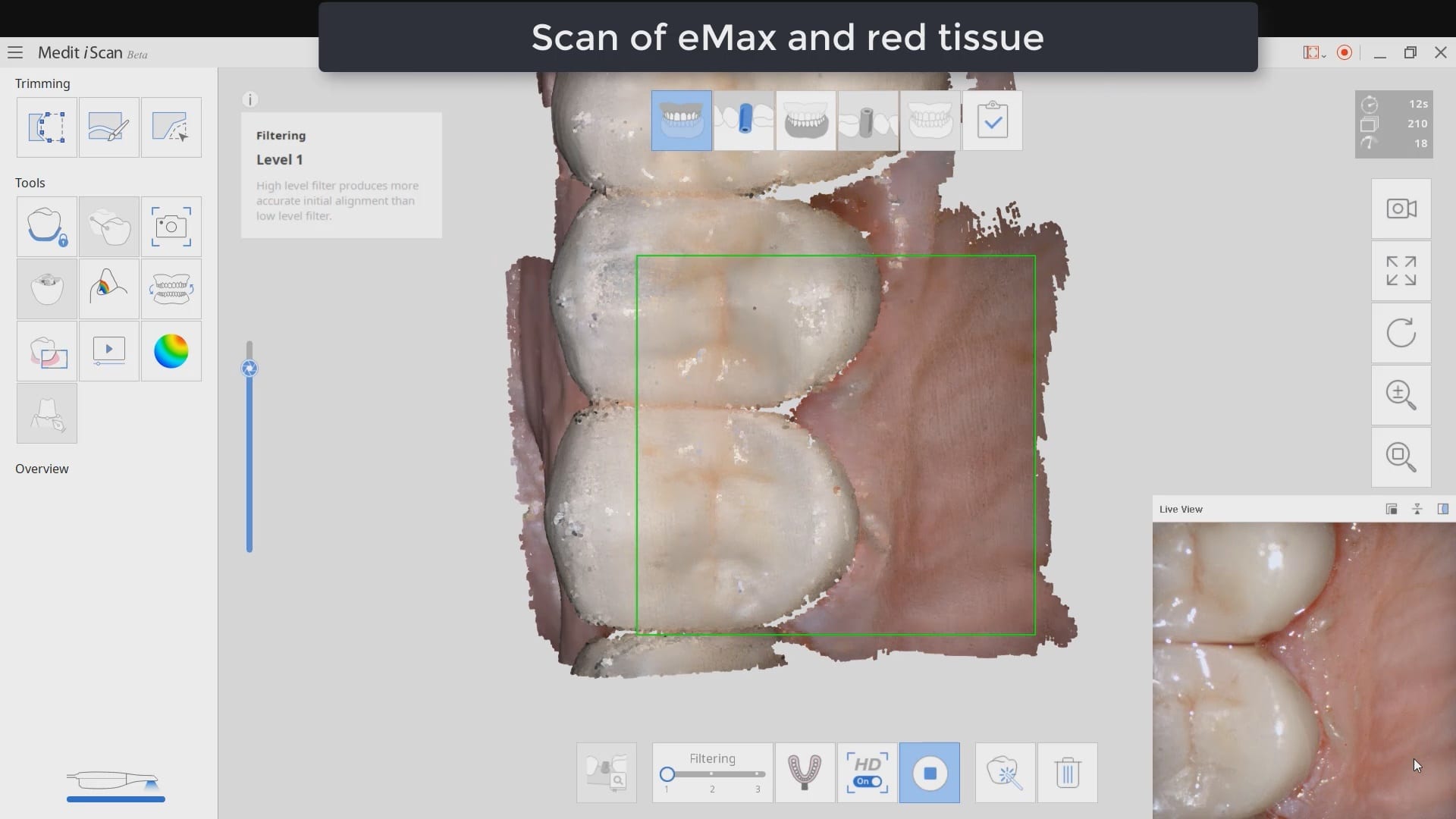
After the area was anesthetized and the crown was removed, expasyl was used to achieve hemostasis and tissue retraction. The margins of the abutment were imaged. Note how we used a feature in the Medit scanner to change the scan light from blue to white, which allows you to pick up red (blood and tissue) that is normally difficult to capture.
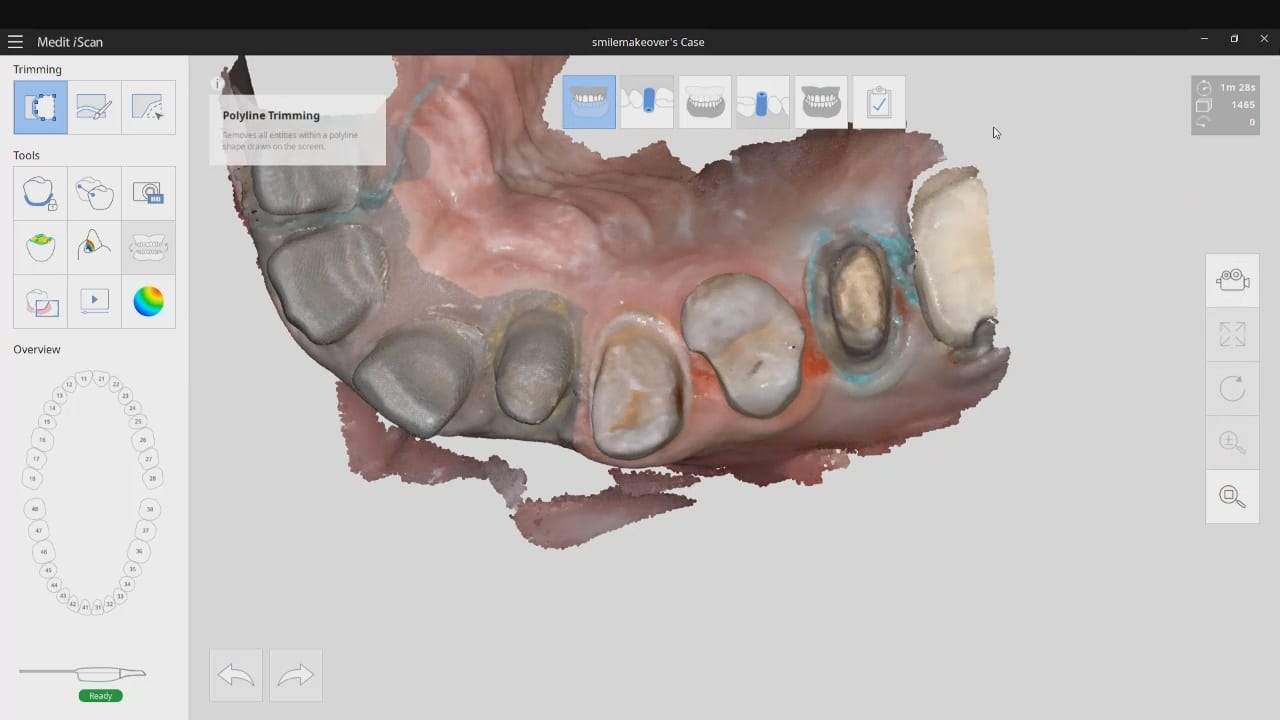
Once the margins were captured, we activated the margination tool. You highlight the area you want to address and the meshwork is calculated and processed locally, where you can then designate your margins that are exported to CAD software along with the jaw model, the opposing, the pre-op and the bite.
Alternatively, the traditional way would be to not place the margins in the native Medit software and to place it in the CAD software itself. As you can see both options are very viable and you do not lose any resolution of the scanned data between the imaging program or the design software.
There are multiple ways one can capture the bite for a patient. In this clinical case, we focus on the easiest way to capture two bites (one in maximum intercuspation and the other in an opened vertical dimension and in protrusive for a sleep apnea oral appliance).
The Medit iScan software allows you to capture two bites. Most people treat them as “Left Bite” and “Right Bite”, but the software doesn’t care if you follow this guideline. You can capture full arch bites in maximum intercuspation in one catalog box and then capture a full arch bite in the open / protrusive position in the second bite.
The next step is to clone or duplicate the case, where you set the first desired bite and process the case manually in maximum intercuspation and then in the second cloned case, you manually set the bite to the different occlusal scheme. As our users advance in their experience and knowledge level, they clone the same case multiple times so that they don’t have to re-image the upper and lower jaws multiple times and just capture different bites in all the different case files.
Our super advanced users image multiple bites in any folder they want, process it, and use that digital model to related the jaws together to any position they want in a CAD software like exocad.
The Medit i500 intra-oral scanner has two different software programs to operate, one is of which is geared towards clinical dentistry and the other is geared towards laboratories. Our advanced users are encouraged to use the lab version as it has a lot more functionality. One of them is to directly link to exocad software.
In this particular preview we show you the interface where you can launch the iScan program and define the work order and set all the parameters for your restorations.
Once all the settings are chosen, you launch the Medit scanner and image the case. Here, we defined the custom abutment for the crown and the opposing, which activated the catalog box for the antagonist, the arch, the scanbody, and the buccal bite. All respective images were captured.
Once the implant type is identified then you can design the abutment and crown with great control, where you can contour the underbelly of the abutment to help provide tissue support.
The design and the construction file is taken to the milling machine. Here, we used the CORiTEC ONE to mill the titanium abutment and then the Lithium Disilicate crown. You can see the great internal adaptation when the crown and the abutment are flipped around completely and the abutment does not fall out.
The Medit i500 software can now identify a scanbody and digitally place a virtual one in its location. This has a lot of ramifications. For starters, this great opportunity affords a dentist the ability to image multiple implants in long span edentulous areas, where you would have a clear indication of distortion or artifact introduced during challenging scans.
In this single unit case in the video below, we preview this feature. Once the patient is anesthetized, the isolite was placed to protect the airway and the edentulous area was scanned.
After uncovery of the fixture, the type of scanbody was identified in the menu and the location of the scanbody was identified on the digital model.
Once scanning was resumed, the digital scanbody was placed on top of the intra-oral one. As more data was captured you can appreciate how steadily the software tries to adapt the physical fixture to the digital one.
This case shows the amount of control one can have over the fit of a restoration. The upper right first molar was imaged with the Medit i500 and then imported into exocad design software. Once the margins are marked, the user can then define parameters that affect the fit of the restoration.
The diameter of the drill can be taken into consideration; in the design, 1.0 mm was chosen, but ultimately, we used the 0.6 mm bur to mill the intaglio of the emax restoration. The cement gap can be controlled as can the distance from the margin where it takes effect. The minimum thickness parameter also reinforces the material at the margins which will reduce the chances of chipping and ditching at deep chamfer margins. All of this translates into well fitting restorations with little space needed for the resin. That ultimately translates to easier clean up.
The case was milled using a few different materials and at varying speeds to see how thin the margins could be handled and how much detail the 0.6 mm burr can carve into emax and the glass ceramic material
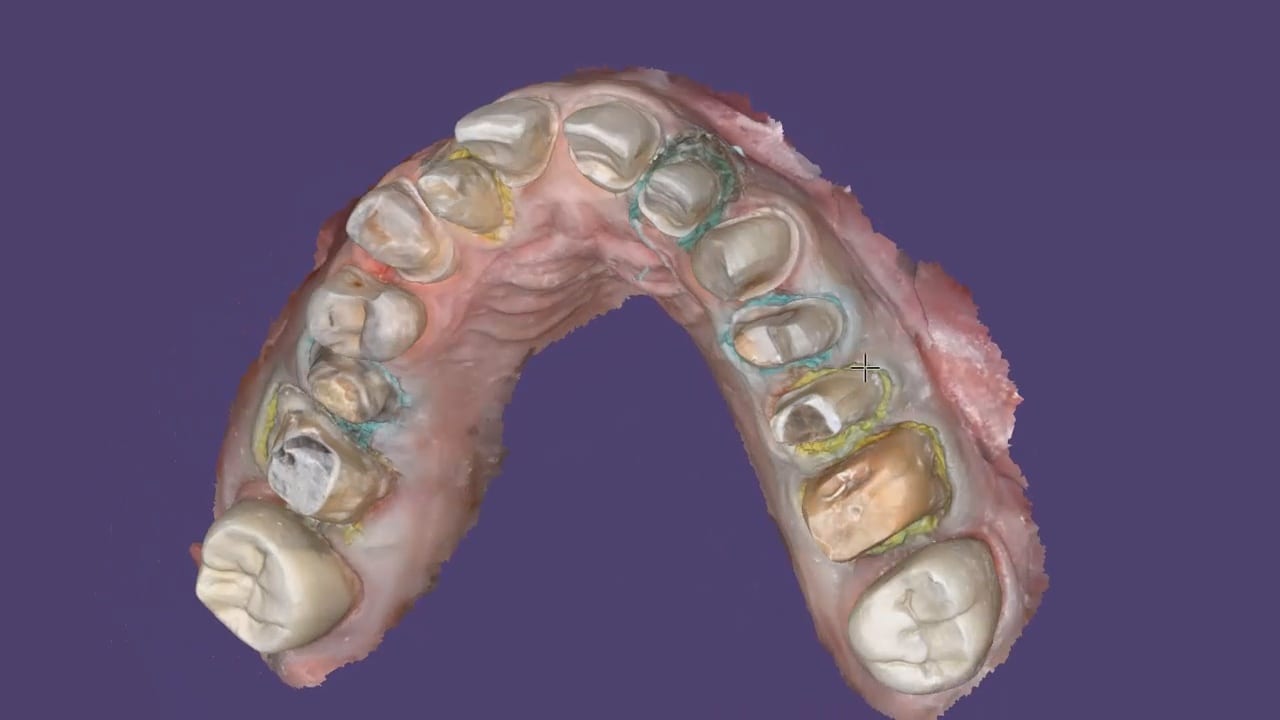
This is an advanced case and won’t make any sense unless you have taken our course on digital dentistry. If you are an advanced user, watch how we break this complex case up into many small manageable segments to create full arch impressions of multiple prepared teeth.
Take note of the fact how the buccal bite is captured over a long course of time. This indicates that the arches are related to each other properly and we have not lost track of the bite. Pay attention to how we operate “independent of time and sequence.”
Digital impressions have turned one of the most complicated and error prone procedures in dentistry into one of the most predictable treatments we can provide.
When taking a physical impression of an impression abutment, you need to secure it to the PVS material so it remains rigid during pour ups. Some choose open trays while others prefer closed trays. When you deal with multiple units, their divergence or convergence can inadvertently lock the tray in the patient’s mouth. Sometimes, the impression abutments impinge on each other and keep you from seating them all the way.
That was a short list of the many things that can go wrong. With a digital impression, you can capture the contacts or the adjacent teeth, the opposing, and the tissue profile very easily. You can then place a scan-body and take an impression of it’s position and identify the location of the fixture.
In the following videos you can see the steps involved and how easy it is to manage the impression and accurately capture the implant location.
In titanium blanks, there is only one place to put the sprue, which is on the occlusal. One might think that this is would be easier to manage, but the trouble is that the titanium blank is cylindrical in shape, and it makes it difficult to keep track of the implant hex position and proper indexing.
There is one important matter to keep in mind when digitally designing an implant abutment for milling from a pre-milled blank. Unlike regular restorations you can design a restoration in (CAD software) and position it in a block , place a sprue in a desired position, and mill (CAM software) the final product.
The solution is to provide data to the milling machine so that it can properly index the titanium blank. To keep it simple, a regular restoration can just be milled from a designed stl file. The titanium pre-milled blanks need accompanying files to the designed stl to properly mill the abutment for indexing purposes. In exocad software, there is a construction file that accompanies the design and the CAM software can read both files and produce a desired result.
In all of our courses, once every user gets comfortable with the software and the camera, we quickly ramp up to reveal the greatest advantage of digital impressions over analog ones. The premise is that digital impressions can create models of data (note the deliberate omission of words like teeth, tissue, etc.) that are independent of time and sequence, and moreover, you can edit or manipulate the captured information.
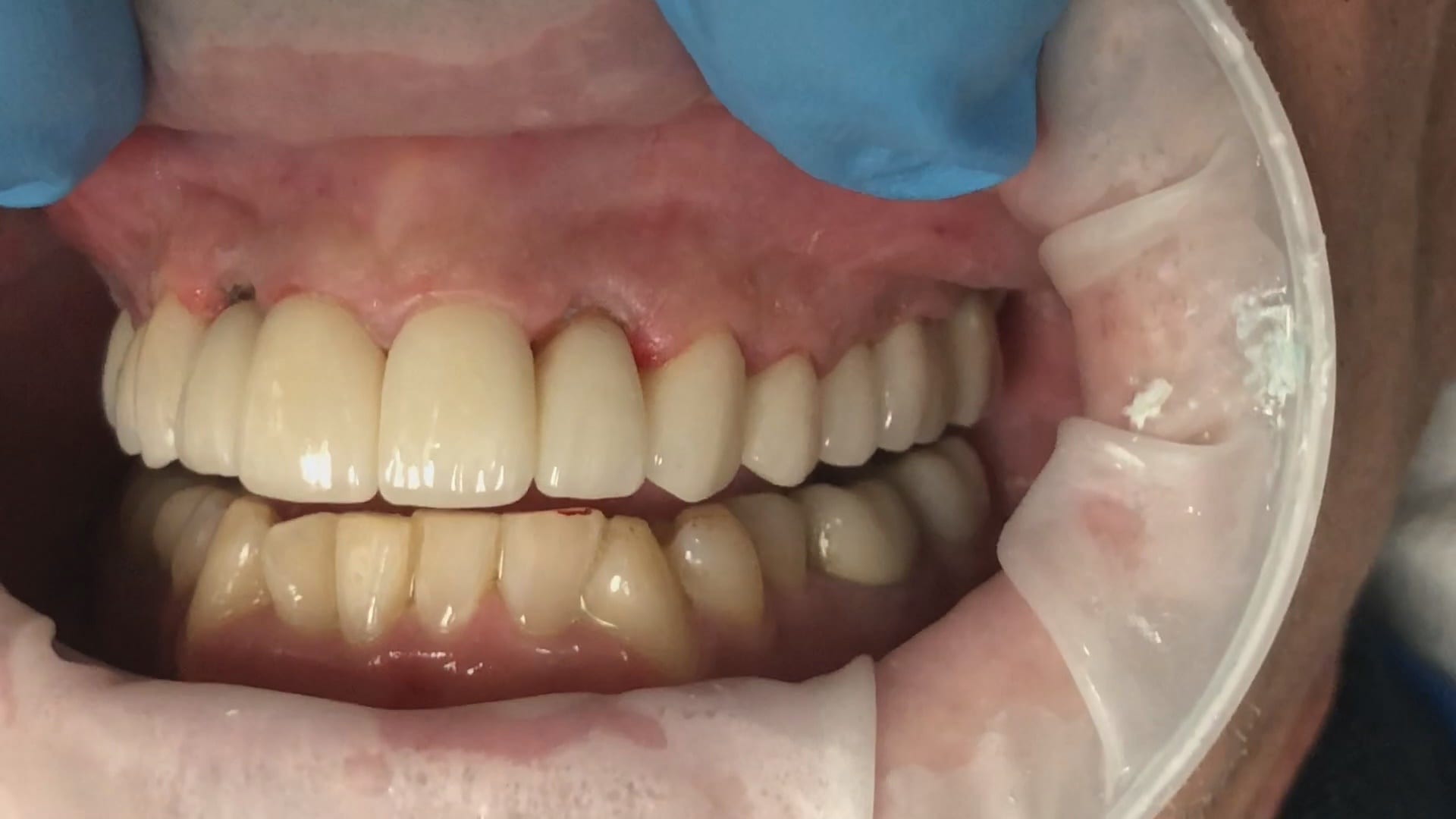
In this particular case, we demonstrate how the upper anterior eight were prepared and how the preps were captured over an extended period of time. You can appreciate how one case protect margins and preparations from introducing subsequent errors. You can also visualize how you can create models without following a certain pattern.
Once you understand this concept, you can apply multiple ways to tackle the most complex and comprehensive cases and treat them with ease. We would love to host you at one of our courses to teach these principles and how you can take ANY intra-oral scan from any device, take it to CAD software, and take it to ANY milling machine you want. Oh yeah, we can also teach you how to introduce CT data into the mix from any machine to handle an even bigger case.
Click on our courses and events to see future courses. We’ll be adding more dates very soon.
Separate from how we imaged the arches, we think the perfect place to “hand off” a case like this is when you have mounted your upper and lower jaws, the opposing, marked margins, and set the path of insertion. At this point, as a clinician you have provided all the information needs to proceed with the case.
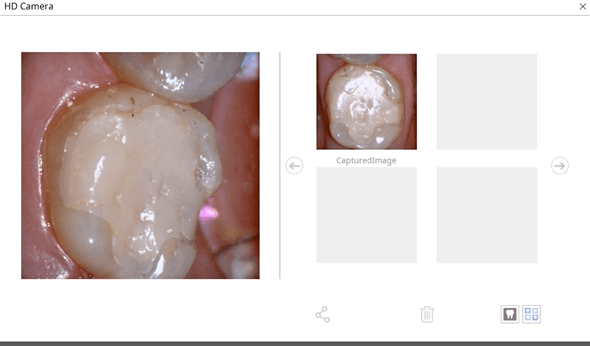
In this simple first molar case, we scan the pre-op condition as there is no room to add any contours to the pre-existing crown. In the video below, you can see how it occludes with the opposing and how it contacts the adjacent teeth. A pre-op scan is taken and the crown is removed. Images of the recurrent decay are taken and the preparation was modified. Final impressions were taken after tissue retraction and hemostasis.
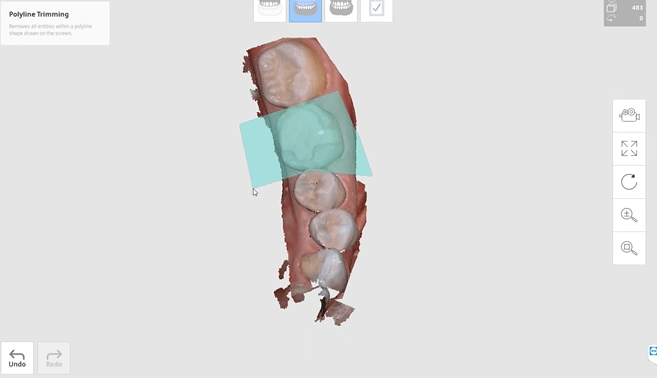
The pre-existing condition must be trimmed away and you want to keep only the areas you want to make contact with in the proposal. This simple method gives you instant proposals where you only modify the contact areas and proceed to production
In just under a decade, we have turned dental implants from the most risky and stress inducing procedures we can perform both surgically and restoratively into one of the most predictable procedures we can perform while drastically reducing the cost of care, whether you fabricate the prothesis yourself or outsource it to a lab.
With guided surgery, the benefits are immeasurable. One good argument is that clinicians can avoid certain surgeries while discovering physical limitations during the planning stage. Furthermore, if performed fully guided, once can generally place the implant exactly where it was digitally planned in 3D on a CT scan.
Restoratively, we also have some tremendous advantages; whether you are performing single units or multiples, digital impressions give you an advantage you never had with physical impressions. In this first video, we emphasize how you and your team should take picture of the scanbody that is being used during the digital impression. It is very easy for you or the lab to mistakenly label digital impression in the design software.
The great benefit of digital impressions is realized when you can capture all of the contact areas of neighboring teeth. Furthermore, you have the ability to digitally sculpt the soft tissue and create the emergence profile for your abutment. When you take the soft tissue profile, the position of the head of the implant, and the contacts of the adjacent teeth into consideration in your design, you stack the odds of a successful restoration into your favor
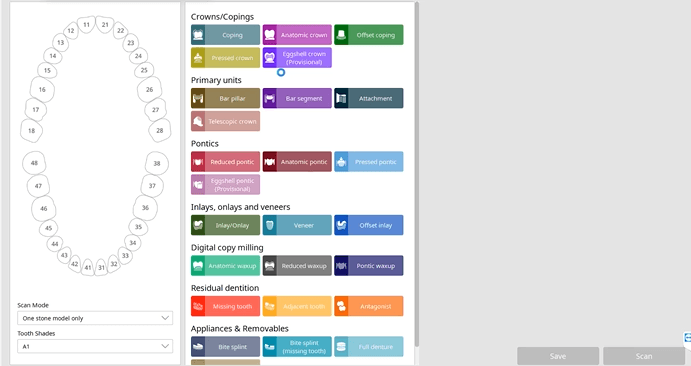
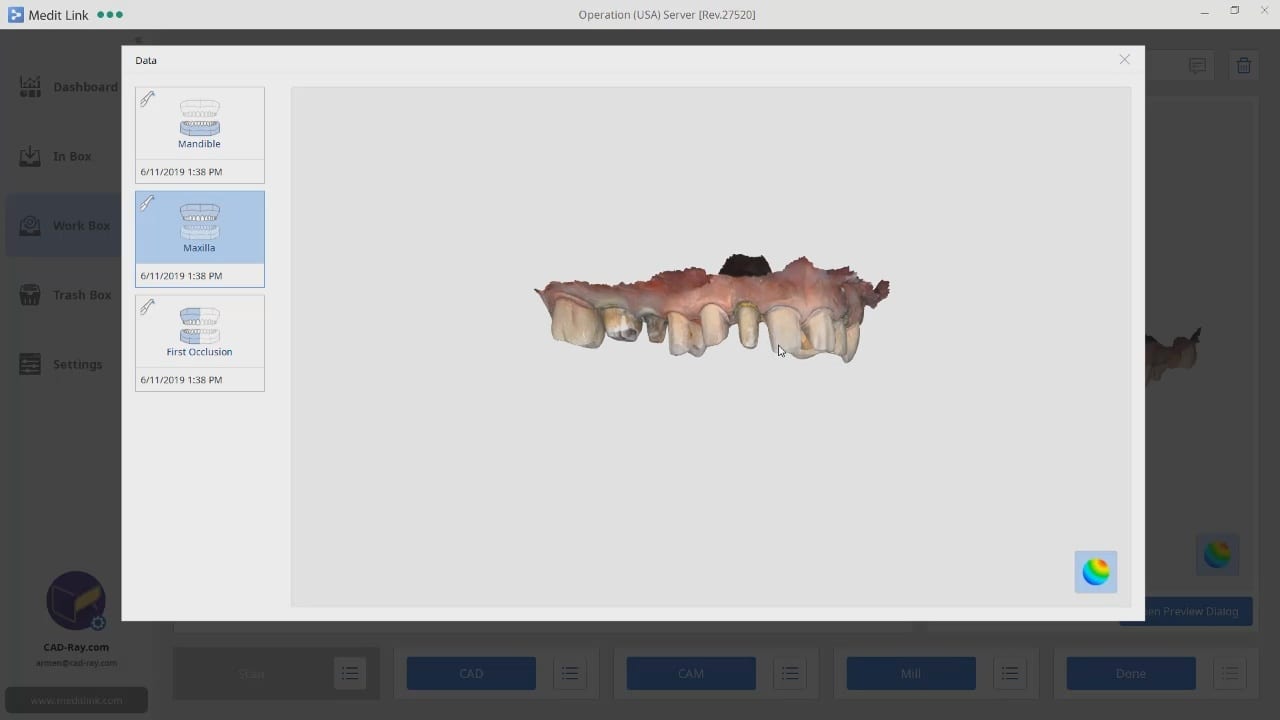
This case demonstrate some advanced features our CAD-Ray software provides for CAD/CAM users. We first launch meditlink and define the prescription. You can take your time and input your selection at this step, BUT we give you the opportunity to edit it when you launch the CAD software.
You will note that after the imaging is done, the CAD software is launched which allows us to change the job definition. You have two choices for utilizing the pre-op condition with our software; you can either use the pre-op as a reference frame for your design or you can copy it exactly as a replica. The latter is called “Digital Wax-Up” for exocad users.
What we have done is to program the software and its wizard to get you from the model step to instant proposals after you place your margins. We guide you through the steps and ask you to trim away anything you don’t want your proposals to replicate and to only leave behind a shell of the exact form and function you want to keep in your proposals. This instant proposal is a dream for most dentists. It is the quickest way you can get to a design and to fabricate a restoration
At any given time, we are milling restorations with 3 or 4 milling machines. Recently, we designed a restoration with the Medit i500 scanner, designed in exocad, and milled with a chairside mcxl cerec milling machine. Here are the steps we took to do this:
You may have to install some .net framework files from Microsoft. It’s generally an automated installation
Once installed, make sure to have your milling machine turned on and connected. A lot of the functionality is closed if your machine is not on and connected to the PC with the software.
We had to follow certain steps in sequence to get this to work. We had to activate the license in a pre-installed CEREC software and then move that thumbdrive to the machine where the inlab CAM was going to be installed
You can contact Mr. Milos Gedosev who runs DentalCADCAM in Germany and has earned a great reputation over two decades if you have any questions.
In this video we demonstrate how to capture implant impressions of scan bodies intra-orally with the medit i500 scanner and then design a screw retained crown with our customized CAD-Ray software.
The sequence of steps for a new user are critical. Although it doesn’t matter if you image the opposing arch first or after the arch that is being restored, the steps to capturing the scanbody must be followed in chronological order. You must capture the arch and then the scanbody impression. You should not return to the arch catalog box and add any more data. This can introduce a lot of error in the processing steps
In this video you can appreciate the distinct advantage you have tissue training on a digital model. You can contour to the soft tissue very easily. It is best to do so after you have identified the scanbody, which will pinpoint the location of the fixture. Once you have that in the equation, you can sculpt your tissue to your liking, making sure your abutment margins never drop apically below the head of the fixture
Second molar can often be a difficult clinical case to manage. In this case, we diagnose a cracked tooth. Even though the patient is not symptomatic, the clinical condition and the wear on the second molar dictated a full coverage restoration. In the first video, you can see how the light test was used to show the abrupt transition and lack of light propagation through the second molar
In the second video, you can see how we imaged the pre-existing second molar in the pre-operative condition. Once the patient was completely numb, the second molar was reduced
In this particular case, we demonstrate an emax restoration fabricated with the Z4 milling machine by VHF. In the first video, you can see how the case was set up initially within the software. You will notice how we image the preop, image the opposing and can even image the bite out of sequence, all while the patient is being anesthetized.
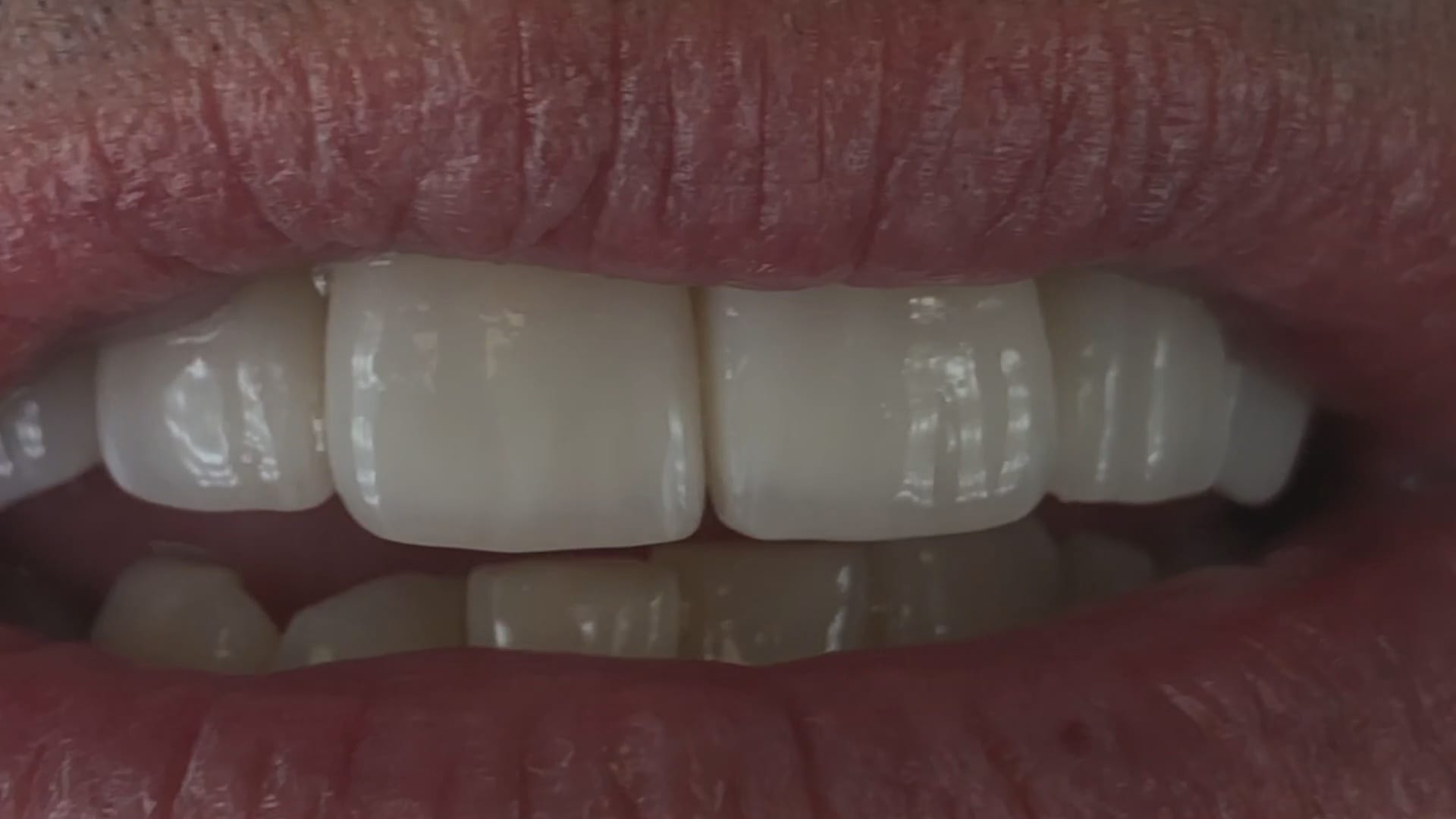
Once the preparation is captured, we place the margins and design a crown in exocad. The emax is milled, tried in, and them placed in the oven for crystallization. It is then delivered to the patient. Note how the decay at the contacts of the adjacent teeth was drilled out and restored, while the crown was milling / crystalizing. An immediate post op x-ray was taken to make sure there was no resin left behin
The Z4 Milling Machine can drill emax, zirconia and metal abutments. You can use a scanbody, identify the location of the fixture, design the abutment and mill our either ceramic or metal as the abutment.
Metal abutments in the posterior molar areas, tibases in canine and premolar regions, and angled abutments in incisor area is the general consensus for restoration of choice
One of the greatest advantages of the Z4 is that it can start milling while it is doing the calculation for milling. Furthermore, you can load multiple designs in preparation of continuous milling. In the picture attached, the CAM software is shown which operates in the background. Most users don’t usually see this interface.
Here you can see how there are 5 drills for the machine. The top tier, consisting of 3 drills, labeled G240, G100, and G060 are all labeled as R. The G120-T and G060-T are used only for a screw access holes
There is a concept in digital dentistry that is called “mixing good and bad data”. What you have to appreciate is that two different objects can’t occupy the same space...
In this presentation we detail the implant suprastructure identification system where an existing abutment is removed and scanned extra-orally to capture the margins readily after the abutment is anodized...
In this video we demonstrate for new and potential users of digital dentistry a implant restoration where the dynamic bite is captured. We initially imaged the upper and lower jaws...


























































You must be logged in to post a comment.